 ResumeFinch
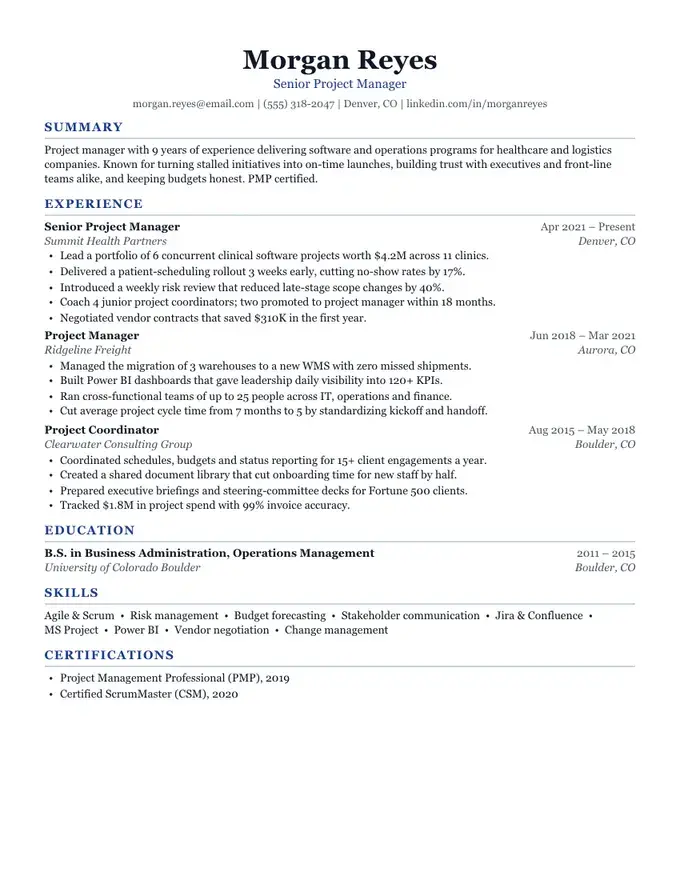
Harbor resume template
Classic and centered
ATS-friendly
An ATS-friendly resume template is one an applicant tracking system can turn back into plain text in the right order: your name, then your contact details, then each section and job as you wrote them. 10 of ResumeFinch's 16 templates are built that way, as a single column of selectable text with standard headings and nothing hidden in tables, text boxes or page headers.
Banner, shown here, has a band of color behind the name. The band is shading behind real text, so a parser still reads the name and contact line first, and everything below it is one orderly column.
Free to build and preview. Downloads are a one-time payment, no subscription.
An applicant tracking system is the software an employer uses to collect applications for a job and move candidates through hiring stages. When you upload a resume, it does roughly this:
For the format, that leaves three practical questions. Does the text come out in the right order? Are the headings ones the parser knows? Are the job titles, employers and dates on lines it can pair up? A resume that fails those checks may still reach a person, but with the wrong fields filled in or missing from a keyword search.
Reading order is checked by an automated test that runs on every one of the 16 templates. The test fills each template with the same full sample resume, including a summary, several jobs, education, skills and custom sections such as Projects, Certifications and Languages, and then builds both downloads.
For the PDF, it extracts the text with pdf.js, a widely used PDF reader library, the same way a parser pulls text from a page. For the Word file, it unzips the .docx and reads the text runs from the document body. It then checks that the name comes first, that the headline and contact details follow, that every section title, job title, bullet and skill appears in the intended order, and that no line from the sidebar is spliced into a line of the main column. Dates, employers and locations must all be present.
That is a test of what the files contain, not a claim about any particular ATS vendor. Parsers differ, and no template can promise how a specific employer's system will score you. What it does show is that for a full, realistic resume, every template's PDF and Word file keep the text in order, two-column designs included.
An ATS-safe template keeps all of its text in one column, so the order a parser extracts is the order a person reads. 10 templates are in this group. The other 6 use a second column: their PDF keeps two columns and passes the reading-order test, but some older systems read columns out of order, so for large-company portals start with an ATS-safe design. Every Word download is a single column whichever you pick.
| Template | ATS class | Body layout | Header | Often chosen for |
|---|---|---|---|---|
| Harbor | ATS-safe | One column | Plain name and contact line | Finance and accounting |
| Meridian | ATS-safe | One column | Plain name and contact line | Tech and product roles |
| Slate | ATS-safe | One column | Plain name and contact line | Students and new grads |
| Summit | ATS-safe | One column | Plain name and contact line | Managers and directors |
| Keystone | ATS-safe | One column | Plain name and contact line | Software engineers |
| Campus | ATS-safe | One column | Plain name and contact line | College students |
| Beacon | ATS-safe | One column | Two-weight name | Marketing and communications |
| Regent | ATS-safe | One column | Accent bar above the name | Directors and VPs |
| Linen | ATS-safe | One column | Plain name and contact line | UX and product design |
| Banner | ATS-safe | One column | Name on a color band | Healthcare and nursing |
| Ledger | Design-forward | Dates in a left margin column | Plain name and contact line | Consulting |
| Atlas | Design-forward | Sidebar on the left | Two-weight name | Software and data roles |
| Lumen | Design-forward | Sidebar on the left | Plain name and contact line | Marketing and brand |
| Vista | Design-forward | Sidebar on the right | Name on a color band | Sales and business development |
| Anchor | Design-forward | Sidebar on the left | Plain name and contact line | Sales and account management |
| Crest | Design-forward | Sidebar on the right | Name on a color band | Marketing and brand |
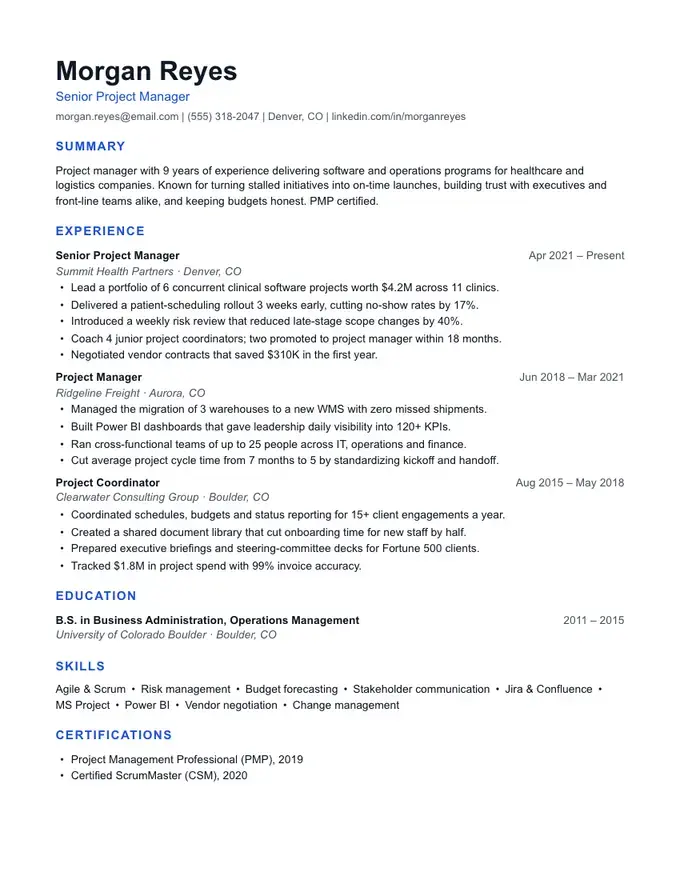
The preview shows Renata Coleman, a fictional office manager for outpatient clinics, in Banner. The figures in her bullets are placeholders. Here is how each part maps to what a parser looks for.
A parser does not care whether the document is called a resume or a CV. A longer CV with Publications, Presentations or Grants as custom sections stays parseable as long as it keeps one column, plain headings and real text. ResumeFinch pages are US Letter only; there is no A4 option, so a CV for an employer outside North America may need its paper size changed in Word or Google Docs after you download it.
The free resume checker reads a PDF or .docx in your own browser and shows what it can extract: whether it finds your contact details, standard section headings, dates and bullets, plus a strength score with specific fixes. If it misses something that is on your page, the usual cause is one of the problems listed above. It does not reproduce any vendor's system, but it is a quick way to catch text a parser cannot see.
We tested all 16 templates in 3 parsers
All 144 runs kept their text and section order. See the data and the one layout difference.
Read the ATS template studyA resume formatted so applicant tracking software can extract its text in order and sort it into fields: one column, standard headings, contact details in the body and no tables, text boxes or images of text. It can still use color and a clear visual hierarchy.
Many modern systems can, and ResumeFinch's two-column PDFs pass the same reading-order test as the rest. Some older parsers read straight across both columns, though, so for a large employer's online portal a one-column template is the lower-risk choice.
No template can. A clean format makes sure your text is read correctly; whether you are shortlisted depends on how your experience matches the job, the employer's screening questions and the people reviewing applications.
Not in Banner. The band is a fill color behind ordinary text, and in the Word file it is paragraph shading. The parser reads your name, headline and contact line as the first lines of the document.
The formatting rules are identical. A CV is usually longer and adds sections such as publications or research, which you can add as custom sections in any ATS-safe template.
Follow the portal's instructions first. If it accepts both, a text-based PDF keeps your layout exact; if it asks for Word, upload the .docx. ResumeFinch gives you both from the same resume.
Start with Banner. You can switch templates anytime.
Classic and centered
Modern with a blue accent
Dense and technical
Executive and understated