 ResumeFinch
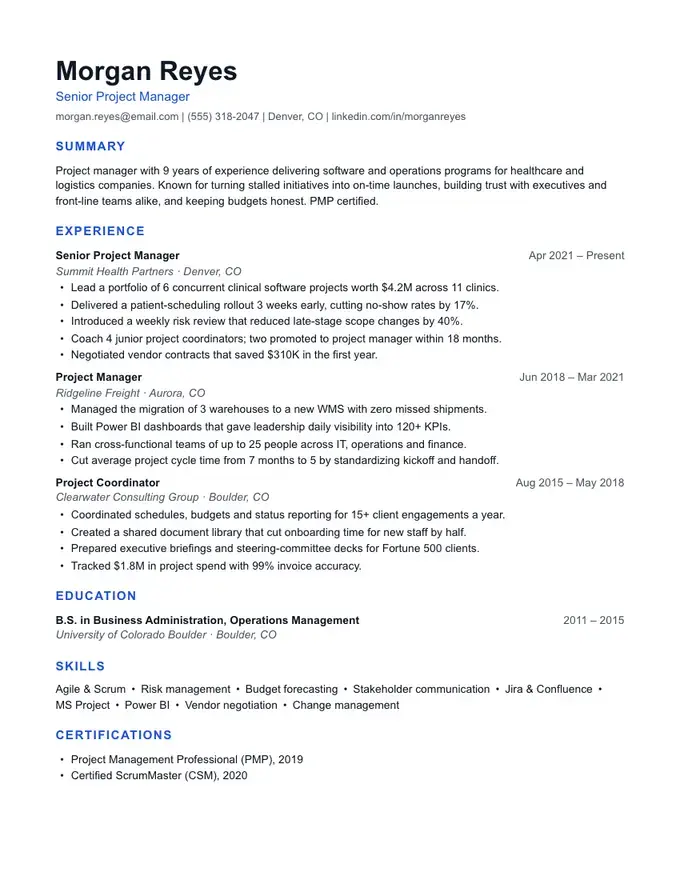
Meridian resume template
Modern with a blue accent
Chronological
A reverse chronological resume lists your jobs from the most recent back to the oldest, with dates on every entry. It is the format most hiring managers expect to see, and it maps neatly onto the fields an applicant tracking system fills in for each job: title, employer, location and dates.
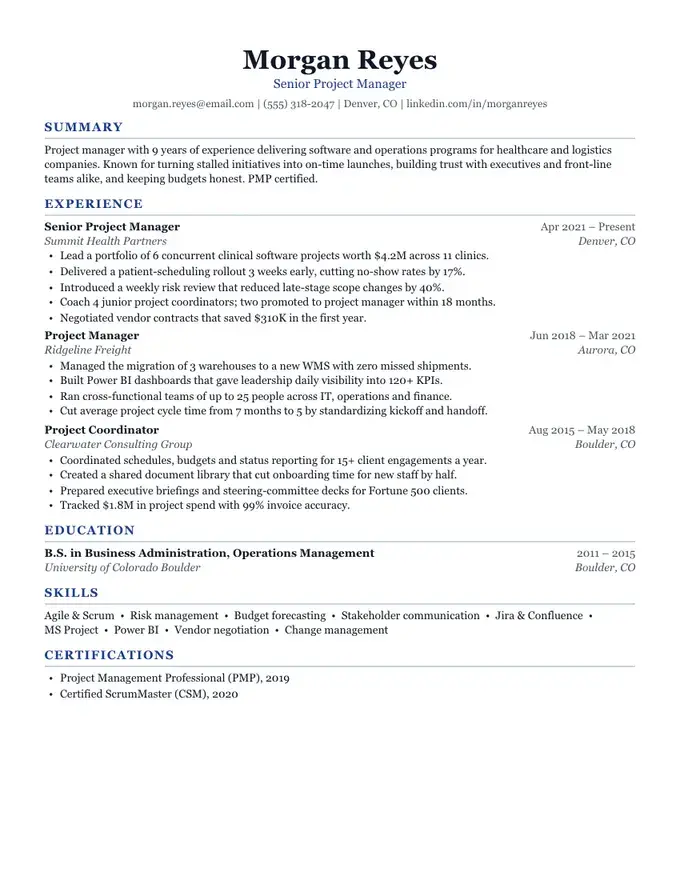
The template below is Harbor, a centered serif layout, filled in for an accountant who was promoted twice at one company and kept a part-time bookkeeping job on the side. Promotions and overlapping jobs are where most people get the order wrong, so both have their own rules further down.
Free to build and preview. Downloads are a one-time payment, no subscription.
Microsoft Word and Google Docs are trademarks of their owners. ResumeFinch is not affiliated with Microsoft or Google.
Strictly speaking, a chronological resume could run oldest to newest, but almost nobody writes one that way. When a career office or a job posting says "chronological resume" it means reverse chronological: your current or latest job at the top of the Experience section, then each earlier job beneath it. Education follows the same rule, newest degree first.
The format is defined by what leads the page. A short summary sits under your name, then a full work history in which every job carries its own bullets, then skills and credentials.
"Newest first" sounds simple until two jobs overlap or you held three titles at one company. ResumeFinch prints jobs in the order you arrange them and never re-sorts them by date, so these rules are yours to apply.
| Situation | What to do | In the builder |
|---|---|---|
| One current job | It goes first, with Present as the end date. | Tick "I currently work here" and leave the end date empty. |
| Two current jobs | Put the one closer to the job you want first, even if you started it later. | Tick "I currently work here" on both, then drag them into order. |
| A side job that overlapped a full-time job | Sort by end date, newest first. Say part-time or contract in the title so the overlap reads as deliberate. | Type "(part-time)" after the job title. |
| Promoted at the same employer | Give each title its own entry, dates and bullets, newest first, repeating the employer name. | Add one job per title. The builder does not group entries by employer. |
| Left an employer and came back | Two separate entries, each in its own place by date. Never merge them into one long span. | Add the return as a new job rather than editing the old dates. |
| A gap of a few months | Leave it. Month and year on every job is expected, and short gaps between jobs are common. | Nothing to add. |
| A gap of a year or more | Give it one line with a plain label and dates: "Career break: family caregiving", "Full-time study", "Relocation". | Add a job with the label as the title, the company empty and no bullets. |
| Jobs older than about 15 years | Cut them, or list titles and employers in a short Earlier Experience section. | Use a custom section, not more Experience entries. |
Why each part of the accountant's sample sits where it does. Numbers in its bullets are placeholders; replace them with your own.
The three standard formats differ in what leads the page and how much detail each job gets.
| Reverse chronological | Functional | Combination | |
|---|---|---|---|
| What leads the page | Work history, newest first | Skill groups with examples | A short skills summary, then the full work history |
| How each job appears | Title, employer, dates and bullets | Title, employer and dates only | Title, employer, dates and bullets |
| Suits | Steady work in one field, visible progression | Career changers and people returning after a long break | Career changers who also have relevant jobs to show |
| How readers tend to react | Familiar, nothing to decode | Some screeners read it as hiding a gap or short stints | Familiar, with extra context at the top |
| Build it in ResumeFinch | Default sections in any template | Custom sections for skill groups, jobs with no bullets | A custom Key Skills section dragged above Experience |
If your recent jobs do not match the role you want, the functional resume template page has a full skills-based sample and explains why some screeners are wary of that format.
Leading with your latest job works against you when that job has little to do with the one you want: a teacher applying for instructional design roles puts classroom work on top, and the reader has to dig for the transferable part.
It also keeps a long absence in view. One labeled line handles most gaps, but after several years away a skills-first page lets you open with what you can do now.
In those cases, compare it with the functional format. For most career changers a combination resume works better: the dated work history stays, with a short skills section above it pulling the relevant evidence to the top.
Harbor downloads as a PDF and a .docx file on US Letter paper. In the Word file, each date is pushed to the right margin by a tab stop rather than typed spaces, so when you add a job or lengthen a title in Word or Google Docs, the dates stay in one straight column down the page, which is much of what makes a chronological resume quick to scan.
In everyday use, yes. Both terms almost always mean the newest job first. A true oldest-first resume is rare and makes a reader scroll to the bottom to find what you do now, so avoid it.
Give each title its own entry with its own dates and bullets, newest title first, and repeat the employer name on each. In ResumeFinch, add one job per title; entries for the same company are not grouped automatically, so they print one under the other.
Place it by its end date among your other jobs, and say part-time or contract in the job title so the overlap is obviously deliberate. If it is unrelated to the role you want and adds nothing, you can leave it off.
A common rule of thumb is the last 10 to 15 years in full. Older roles can be cut or listed by title and employer in a short Earlier Experience section, unless one of them is directly relevant to the job.
Yes. You fill it in and preview it in the browser for free, and the download includes a .docx file that opens in Microsoft Word and Google Docs, alongside the PDF. Downloading is a one-time payment.
Start with Harbor. You can switch templates anytime.
Modern with a blue accent
Executive and understated
Executive with a strong header
Dense and technical